
IP Camera vs Analog Camera: Which Is Right for You?
You have decided to protect your shop, warehouse, office, or factory. Then the first question hits: should you buy IP cameras or analog cameras? Every supplier gives a different answer, and the technical terms make it harder.
This guide explains the IP camera vs analog camera choice in plain language. By the end, you will know how each system works, what it costs in real life, and which one fits your business.
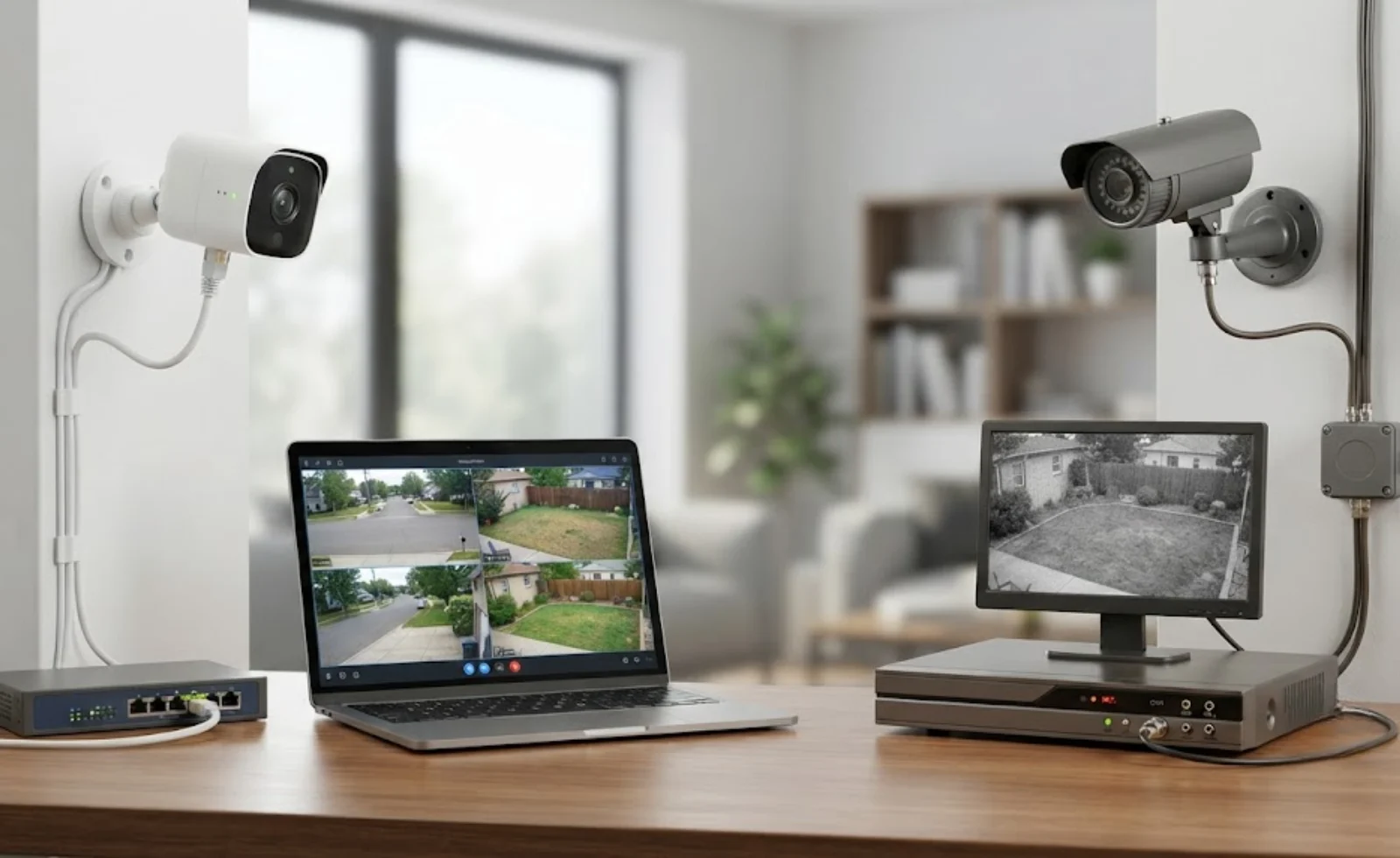
Quick Answer: IP Camera vs Analog Camera
An IP camera sends digital video over a network and gives sharper images, smarter features, and easy growth. An analog camera sends video through coaxial cable to a recorder and costs less to start with, especially if you already own the cabling.
- Choose IP cameras if you want high detail, remote access, AI features, and a system that can grow.
- Choose analog (HD analog) cameras if your budget is tight, your site is small, and good coaxial cable is already in place.
Now let us look at the details.
What Is an Analog Camera?
An analog camera captures video and sends it as an electrical signal through a coaxial cable. The cable runs to a Digital Video Recorder (DVR), which converts the signal into digital form, stores it, and lets you view it on a monitor.
Modern versions are often called HD analog (AHD, TVI, or CVI). They offer much better quality than the old grainy systems, yet they still use the same simple cable-to-recorder design.
Simple example: Think of a landline phone. It works, it is reliable, and it is easy to understand, but it does less than a smartphone.
What Is an IP Camera?
An IP (Internet Protocol) camera is a small computer with a lens. It turns video into digital data inside the camera itself and sends it over a network cable or Wi-Fi. A Network Video Recorder (NVR), a server, or the cloud stores the footage.
Because the camera is already digital, it can do more than record. It can detect people, count vehicles, read number plates, and send alerts to your phone.
Simple example: This is the smartphone of the surveillance world. It connects, updates, and adds new abilities over time.
How Each System Works
|
Step |
Analog System |
IP System |
|
Video capture |
Camera captures and sends an analog signal |
Camera captures and converts video to digital data |
|
Cable used |
Coaxial cable (plus separate power) |
Ethernet cable (data and power together with PoE) |
|
Recorder |
DVR converts and stores video |
NVR or cloud stores video already digital |
|
Viewing |
Monitor or DVR app |
Any device on the network, from anywhere |
IP Camera vs Analog Camera: Key Differences
1. Image Quality
IP cameras lead here. They are available from 2 MP up to 8 MP, 12 MP, and beyond. More pixels mean you can zoom in on a face, a number plate, or a product label without the picture falling apart.
HD analog cameras usually reach 2 MP to 8 MP on paper, but results depend on cable length and signal quality. For wide areas like parking lots or warehouses, one high-resolution IP camera can often replace two or three analog cameras.
Winner: IP camera
2. Cost
Analog wins on the starting price. Cameras and DVRs are cheaper, and if you already have coaxial cable, you can upgrade just the cameras and recorder.
IP systems cost more upfront. But look at the total cost of ownership. With fewer cameras needed, one cable for power and data, and no extra converters, the gap often shrinks over three to five years.
Winner: Analog for upfront cost. IP for long-term value.
3. Installation and Cabling
Analog cameras need a coaxial cable for video and a separate power supply. Cable length is limited, usually around 300 to 500 meters depending on the type.
IP cameras use Ethernet cable and Power over Ethernet (PoE). One cable does both jobs, and the standard run is 100 meters, which can be extended with switches or fiber. A neat setup like this saves installation time and reduces points of failure.
Winner: IP camera for new installations. Analog if cables already exist.
4. Smart Features and Analytics
This is where the gap is widest. IP cameras support:
- Motion and person detection with fewer false alarms
- Line-crossing and intrusion alerts
- Number plate recognition
- People counting and heat maps for retail
- Face detection and two-way audio
- Automatic firmware updates
Analog cameras mostly record video. Some newer DVRs add basic analytics, but the options are limited.
Winner: IP camera
5. Remote Access
Both systems let you view live video on a phone if the recorder is online. But IP systems are built for it. You can manage many sites from one dashboard, receive instant alerts, and share clips securely with managers or the police.
Winner: IP camera
6. Scalability
Adding an analog camera means running another cable back to the DVR, and each DVR has a fixed number of channels (4, 8, 16, or 32). Once it is full, you need another recorder.
With IP, any camera on the network can be added. You can start with four cameras and grow to forty without redesigning the system.
Winner: IP camera
7. Cybersecurity
Here analog has a small advantage. A closed coaxial system is not reachable from the internet, so it is harder to hack. IP cameras sit on a network, so they need strong passwords, updated firmware, encryption, and a separate network for cameras (VLAN).
This is easy to manage with professional setup, but it must not be ignored.
Winner: Analog for simplicity. IP is equally safe when configured correctly.
8. Reliability and Maintenance
Analog systems are simple, and simple systems rarely fail. IP systems depend on network switches, so planning matters. A well-designed IP setup with a good switch, a UPS, and quality cables is just as dependable.
Winner: Tie, depending on installation quality
Side-by-Side Comparison Table
|
Feature |
Analog Camera |
IP Camera |
|
Image quality |
Good (HD analog) |
Excellent, up to 4K and beyond |
|
Upfront cost |
Lower |
Higher |
|
Long-term value |
Moderate |
High |
|
Cabling |
Coaxial plus power cable |
Single Ethernet cable with PoE |
|
Smart analytics |
Limited |
Advanced AI features |
|
Remote access |
Basic |
Advanced, multi-site |
|
Scalability |
Limited by DVR channels |
Highly flexible |
|
Cyber risk |
Very low |
Low with proper setup |
|
Best for |
Small sites, tight budgets, existing cabling |
Growing businesses, large or critical sites |
Which Is Right for Your Business?
Technical specs matter less than your real-world problems. Match your situation below.
Choose analog cameras if:
- You run a small shop or office with 4 to 8 cameras
- You already have working coaxial cable and want a low-cost upgrade
- Your main goal is basic recording, not analytics
- You have limited budget this year
Choose IP cameras if:
- You manage a warehouse, factory, hotel, school, or large property
- You need clear footage for identification, such as faces and number plates
- You want alerts on your phone instead of reviewing hours of video
- You expect to add more cameras later
- You manage more than one location
Consider a hybrid system if: you have a mix of old and new. Hybrid recorders let you keep working analog cameras and add IP cameras step by step. This spreads the cost without wasting your earlier investment.
Common Mistakes Business Owners Make
- Choosing only on price. A cheap camera that cannot capture a face or number plate cannot help you when something goes wrong.
- Ignoring storage. High-resolution video needs more disk space. Plan for 30 days or more of recording.
- Forgetting lighting and placement. Even the best camera fails if it faces a bright window or is mounted too high.
- Skipping cybersecurity. Always change default passwords and update firmware.
- Using untrained installers. Poor cable work and bad camera angles cause most surveillance failures, not the camera itself.
Is Analog Becoming Obsolete in 2026?
Not completely, but the market clearly leans toward IP. Most new commercial projects choose IP because of AI analytics, cloud features, and easier expansion. Analog remains a practical choice for small budgets and simple needs. If you are starting a new system, IP is usually the safer long-term bet.
Final Verdict
There is no single winner for everyone. If you need maximum detail, smart alerts, and room to grow, go with IP. If you need a simple, budget-friendly system and cabling is already in place, analog still does the job. The best choice is the one that fits your site, your risks, and your budget today, with an eye on where your business will be in five years.
Frequently Asked Questions
What is the main difference between an IP camera and an analog camera?
An IP camera converts video to digital data inside the camera and sends it over a network. An analog camera sends an analog signal through coaxial cable to a DVR, which converts it. This makes IP cameras sharper and smarter, while analog cameras are simpler and cheaper.
Which is better, an IP camera or an analog camera?
IP cameras are better for image quality, analytics, remote access, and growth. Analog cameras are better for low upfront cost and reuse of existing coaxial cable. The best option depends on your budget and security needs.
Are IP cameras more expensive than analog cameras?
Yes, usually at the start. However, IP systems may need fewer cameras and simpler cabling, so the long-term cost can be close to analog.
Can I use analog and IP cameras together?
Yes. A hybrid recorder supports both types, so you can keep existing analog cameras and add IP cameras over time.
Can I upgrade from analog to IP without changing all the cables?
Often yes. Devices called media converters can carry IP signals over existing coaxial cable, which helps reduce rewiring costs. A site survey will confirm if your cable is suitable.
Do IP cameras work without internet?
Yes. They record locally to an NVR or SD card on your internal network. You only need internet for remote viewing or cloud storage.
Are IP cameras easy to hack?
Not if they are set up correctly. Use strong passwords, update firmware, disable unused services, and keep cameras on a separate network. Choosing trusted brands also helps.
How many cameras does a small business need?
A small shop often needs 4 to 8 cameras to cover the entrance, cash counter, storage, and exits. Larger sites need a survey based on blind spots and risk areas.
How long can IP and analog systems store video?
This depends on resolution, number of cameras, compression (such as H.265), and hard disk size. Most businesses plan for 15 to 30 days or more.
Is a professional installer necessary?
It is strongly recommended. Correct camera angles, cable routing, power, and network setup decide how well your system performs for years.
Ready to Choose the Right Security System?
Picking between IP and analog is easier with expert advice that looks at your building, your risks, and your budget. If you are planning a CCTV Surveillance Camera System in Oman, the team at Meridian IT Solutions LLC can guide you from site survey to design, and our CCTV Camera Installation Services make sure every camera is placed, wired, and configured for reliable results.
Do not wait for an incident to find out your system has gaps.
Book your free site assessment today at mitsmeonline.com and get a clear, no-pressure recommendation for your business.