
Smart Office Setup Checklist: Security, Network & Communications
Setting up a new office is exciting, but it is also one of those projects where small oversights turn into big headaches later. Ask any business owner in Muscat, Salalah, or Sohar who moved into a new space only to discover that the Wi-Fi barely reaches the meeting room, the CCTV cameras were installed as an afterthought, or the phone lines took three extra weeks to activate. These are not rare stories. They happen because security, network, and communication planning often get treated as “last-minute tasks” instead of core parts of the office design.
This guide breaks down a practical smart office setup checklist in Oman, written for beginners who are setting up their first workspace or upgrading an existing one. Whether you are a startup founder, an office manager, or someone tasked with getting a new branch ready for day one, this article will walk you through everything you need, from cabling to cameras to call systems, in plain, simple language.
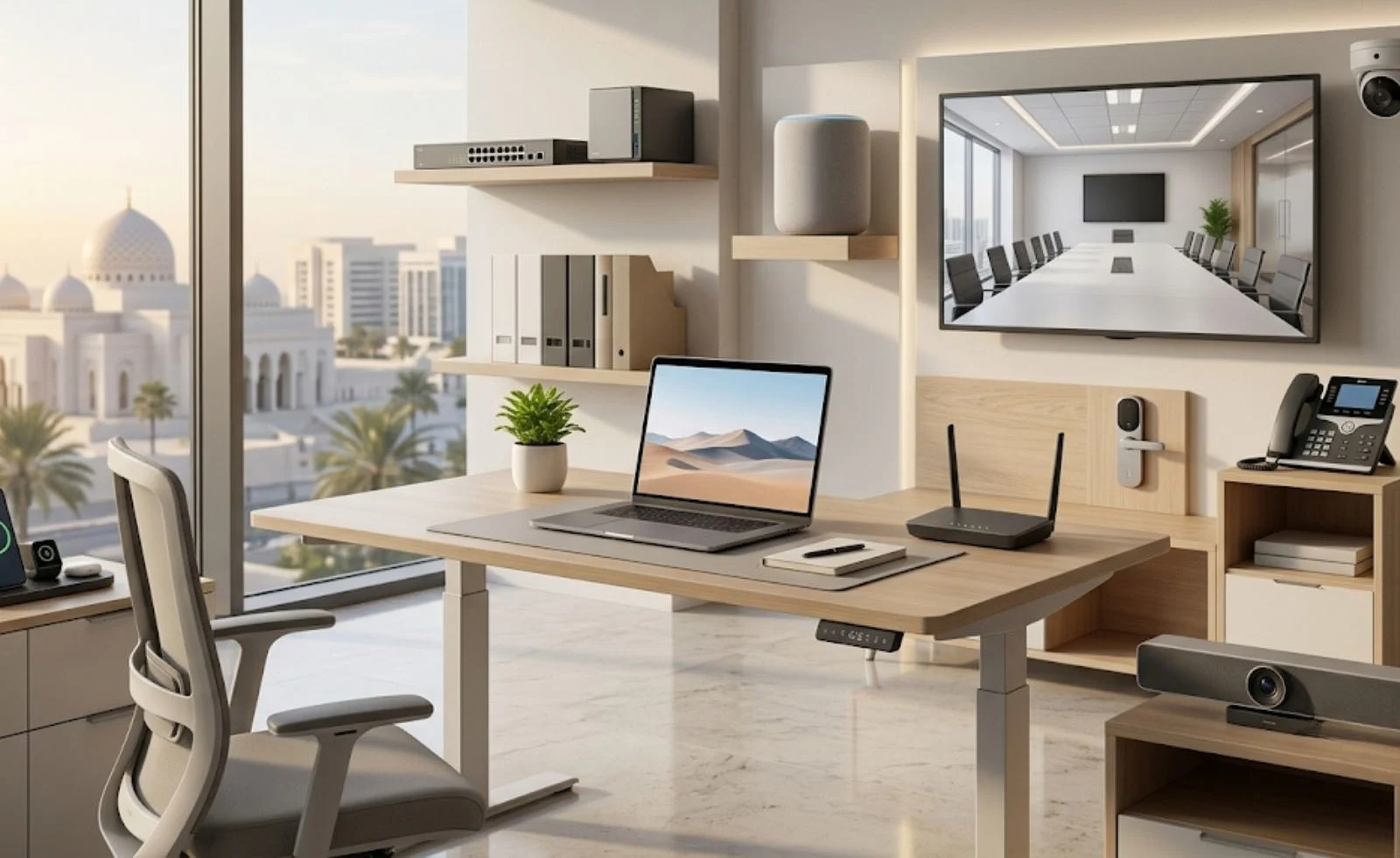
Why a Smart Office Setup Matters More Than Ever
A modern office in Oman is not just a room with desks and chairs. It is a small ecosystem of connected devices: laptops, IP phones, printers, access card readers, security cameras, smart locks, and cloud-based software. Every one of these depends on three foundations working together, solid security, a reliable network, and dependable communication tools.
If any one of these three pillars is weak, the whole office feels it. A slow network makes video calls choppy. Weak security leaves sensitive company data exposed. Poor communication planning means missed calls, delayed client responses, and frustrated teams. Getting this right from day one saves money, time, and a lot of stress down the road.
Step 1: Start With a Site and Requirement Assessment
Before ordering a single router or camera, walk through the physical space with a plan in hand.
- Measure the space and identify where workstations, meeting rooms, server rooms, and reception areas will sit.
- Count your users and devices. A 10-person office has very different needs than a 50-person one.
- Check the building’s existing infrastructure, including electrical points, cable trays, and internet service availability in that area.
- Think about growth. Will the team double in a year? Plan cabling and bandwidth with some headroom rather than the bare minimum.
This assessment becomes the blueprint everything else is built on, so it is worth spending real time here rather than rushing to the fun part of buying equipment.
Step 2: Building the Right Network Infrastructure
The network is the nervous system of your office. Everything from emails to video conferencing to cloud accounting software depends on it running smoothly.
Choose the Right Internet Connection
Look at your bandwidth needs realistically. A team that relies heavily on video calls, cloud storage, and large file transfers needs significantly more bandwidth than a team that mostly uses email and browsing. In Oman, fiber connections are widely available in most commercial areas and are generally the better long-term choice over DSL for offices that expect to grow.
Plan Structured Cabling
Even with strong Wi-Fi, wired connections still matter for desktops, servers, and printers because they are faster and more stable. Structured cabling, meaning a properly organized, labeled, and tested cable system, prevents the tangled mess that makes troubleshooting a nightmare later.
Invest in Reliable Wi-Fi Coverage
Dead zones are one of the most common complaints in new offices. A single router is rarely enough once you factor in walls, floors, and the growing number of wireless devices like laptops, phones, and even smart printers. This is exactly why professional WIFI installation services matter, a proper site survey identifies weak spots and places access points where they actually need to be, rather than guessing.
Segment Your Network
Not every device should sit on the same network. Separate your guest Wi-Fi from your internal corporate network, and if you’re using smart devices like IoT sensors or smart locks, keep them on their own segment too. This is a simple step that dramatically reduces the risk of one compromised device exposing your entire system.
Plan for Power and Backup Connectivity
A network is only as reliable as its power source. Uninterruptible power supplies (UPS) for critical network equipment, and a backup internet connection (like a secondary ISP or 4G/5G failover), keep your office running even during outages, which matters a lot for businesses that cannot afford downtime.
Step 3: Physical and Digital Security Essentials
Security in a modern office covers two areas that need to work together: who can physically enter the space, and who can access your digital systems.
Access Control Systems
Key-and-lock setups are becoming outdated for offices that handle sensitive data or valuable equipment. Card-based or biometric entry systems let you control exactly who enters which area and give you a clear log of movement in and out of the office. This is where working with providers of access control solutions in Oman makes a real difference, since local providers understand building regulations, common office layouts, and integration with existing security systems.
CCTV and Surveillance
Cameras aren’t just about catching theft, they’re about accountability, safety, and peace of mind for both staff and management. When planning your camera setup, think about coverage of entry points, reception, server rooms, and parking areas. A reliable CCTV camera service in Oman can help you design a system with the right number of cameras, adequate storage for recordings, and remote viewing so you can check on your office from anywhere.
Firewalls and Network Security
On the digital side, a properly configured firewall is your first line of defense against external threats. This should be paired with:
- Strong, unique passwords and multi-factor authentication across all systems
- Regular firmware and software updates on routers, switches, and access points
- Data backup routines that are tested, not just set up and forgotten
- Basic cybersecurity awareness training for staff, since human error remains one of the biggest security risks
Fire and Safety Systems
Don’t overlook physical safety alongside digital and access security. Smoke detectors, fire extinguishers, clear exit routes, and emergency lighting are non-negotiable parts of any office fit-out and are usually required for regulatory approval in Oman.
Step 4: Setting Up Communication Systems
Communication tools are what actually let your team get work done, so they deserve just as much planning as the network and security layers.
Phone Systems
Traditional landlines are increasingly being replaced by VoIP (Voice over Internet Protocol) systems, which run over your internet connection and offer more flexibility, call forwarding, voicemail-to-email, and multi-location support, all without extra hardware costs. Decide early whether you need a hybrid system (landline plus VoIP) or a fully cloud-based setup.
Video Conferencing and Collaboration Tools
With hybrid work now common, meeting rooms need proper video conferencing setups, a good camera, microphone, and screen sharing capability. Pair this with collaboration tools like shared drives, messaging apps, and project management platforms so your team isn’t juggling five disconnected systems.
Internal Communication Infrastructure
Don’t forget the basics: an internal directory, clear extension numbers, and a simple way for staff to reach IT support or facilities when something goes wrong. Small details like this reduce daily friction significantly.
Step 5: Bringing It All Together With Professional IT Support
Trying to coordinate cabling, security systems, and communication tools separately often leads to compatibility issues and wasted budget. This is where bundled IT services in Oman become genuinely useful, a single team that understands networking, security, and communications together can design a system where everything talks to each other properly, rather than three separate vendors pointing fingers when something breaks.
When choosing a provider, look for:
- Experience with offices similar in size to yours
- Clear service level agreements (SLAs) for support response times
- Transparent pricing with no hidden maintenance costs
- A track record of local projects you can actually verify
The Complete Smart Office Setup Checklist
Here’s a quick-reference summary you can use while planning your rollout:
Network
- Confirm ISP bandwidth matches team size and usage
- Plan structured cabling with labeling
- Conduct a Wi-Fi site survey and install adequate access points
- Segment guest, corporate, and IoT networks
- Set up backup internet and UPS for critical devices
Security
- Install access control at all entry points
- Set up CCTV covering key areas with adequate storage
- Configure and test firewalls
- Enforce strong password policies and MFA
- Schedule regular data backups and updates
- Confirm fire safety and emergency exit compliance
Communications
- Choose VoIP, landline, or hybrid phone system
- Equip meeting rooms with video conferencing tools
- Set up shared collaboration and messaging platforms
- Create an internal directory and IT support contact process
General
- Do a full site walkthrough before finalizing layout
- Plan for at least 20-30% future capacity
- Partner with local providers who know Oman’s regulations
CAT Section: Common Assumptions to Throw Out
Before wrapping up, it’s worth clearing up a few misconceptions that often trip up first-time office setups in Oman.
“Wi-Fi is Wi-Fi, one router should cover the office.” Not true past a certain office size. Coverage drops fast through walls and floors, and overlapping devices slow speeds down. A proper survey almost always reveals more dead zones than expected.
“Security cameras alone are enough protection.” Cameras record what happened; they don’t stop it from happening. Pairing them with access control and a monitored alarm system closes the gap between “seeing” a problem and “preventing” it.
“We’ll set up security later once we’re settled in.” Retrofitting cabling and access systems after furniture and staff are already in place costs more and causes more disruption than doing it during the initial fit-out.
“Any local IT vendor can handle everything.” Networking, surveillance, and communications each require different expertise. It’s worth confirming a provider actually has experience across all three rather than assuming.
“Cloud tools remove the need for good local network.” Cloud software still depends entirely on a stable, well-configured local network to function properly, a weak network makes even the best cloud tools feel broken.
Frequently Asked Questions
What is included in a smart office setup checklist?
A smart office setup checklist typically covers three main areas: network infrastructure (internet, cabling, Wi-Fi), security (access control, CCTV, firewalls), and communication systems (phones, video conferencing, collaboration tools), along with basic safety compliance.
How long does it take to set up a smart office in Oman?
For a small to mid-sized office, a well-coordinated setup typically takes two to six weeks, depending on the scale of cabling work, permit approvals, and equipment availability. Larger offices with extensive fit-outs can take longer.
Do small offices really need access control systems?
Yes. Even a small office benefits from access control because it protects equipment, restricts sensitive areas, and provides a record of who entered the space and when, something a simple lock and key cannot offer.
Is fiber internet available for offices across Oman?
Fiber coverage has expanded significantly across major commercial zones in Muscat and other cities, though availability can vary by building and location. It’s best to confirm with local ISPs during the site assessment stage.
What's the difference between VoIP and traditional phone systems?
VoIP runs calls over the internet instead of traditional phone lines, offering features like call forwarding, voicemail-to-email, and easier scalability, usually at a lower long-term cost than traditional landline systems.
How many CCTV cameras does a typical office need?
This depends on the office size and layout, but most setups cover entry points, reception, hallways, server rooms, and parking areas at minimum. A professional site assessment gives an accurate camera count rather than guessing.
Can I upgrade my network later instead of planning for growth now?
You can, but it usually costs more to retrofit cabling and expand Wi-Fi coverage after the office is furnished and occupied. Planning some extra capacity upfront is generally cheaper in the long run.
What's the biggest mistake businesses make during office setup?
Treating security and communications as separate afterthoughts instead of planning them alongside the network from the start. This often leads to compatibility issues and higher costs later.
Should I choose one vendor for network, security, and communications?
Where possible, yes. A single experienced provider reduces coordination issues and ensures all systems are designed to work together rather than as disconnected pieces.
Is professional installation necessary, or can basic setups be done in-house?
Basic setups can be handled in-house for very small teams, but as office size and system complexity grow, professional installation reduces costly errors, ensures compliance, and saves significant time.
Final Thoughts
Setting up a smart office in Oman doesn’t have to be overwhelming once you break it down into these three core pillars: network, security, and communications. Approach each one deliberately, work with experienced local providers where it matters most, and you’ll end up with an office that supports your team instead of slowing them down.