
What Is a Time and Attendance System? A Complete Guide
Every business, big or small, runs on time. Employees show up, work their hours, take breaks, and go home – and somewhere in the background, someone has to keep track of all of it. That “someone” used to be a supervisor with a clipboard or a stack of paper timesheets. Today, it’s software.
If you’ve ever wondered how companies accurately calculate payroll, track overtime, or know exactly who’s on-site at any given moment, the answer usually comes down to one tool: a time and attendance system.
This guide breaks down what a time and attendance system actually is, how it works, why it matters, and how to choose one – in plain, simple language.
What Is a Time and Attendance System?
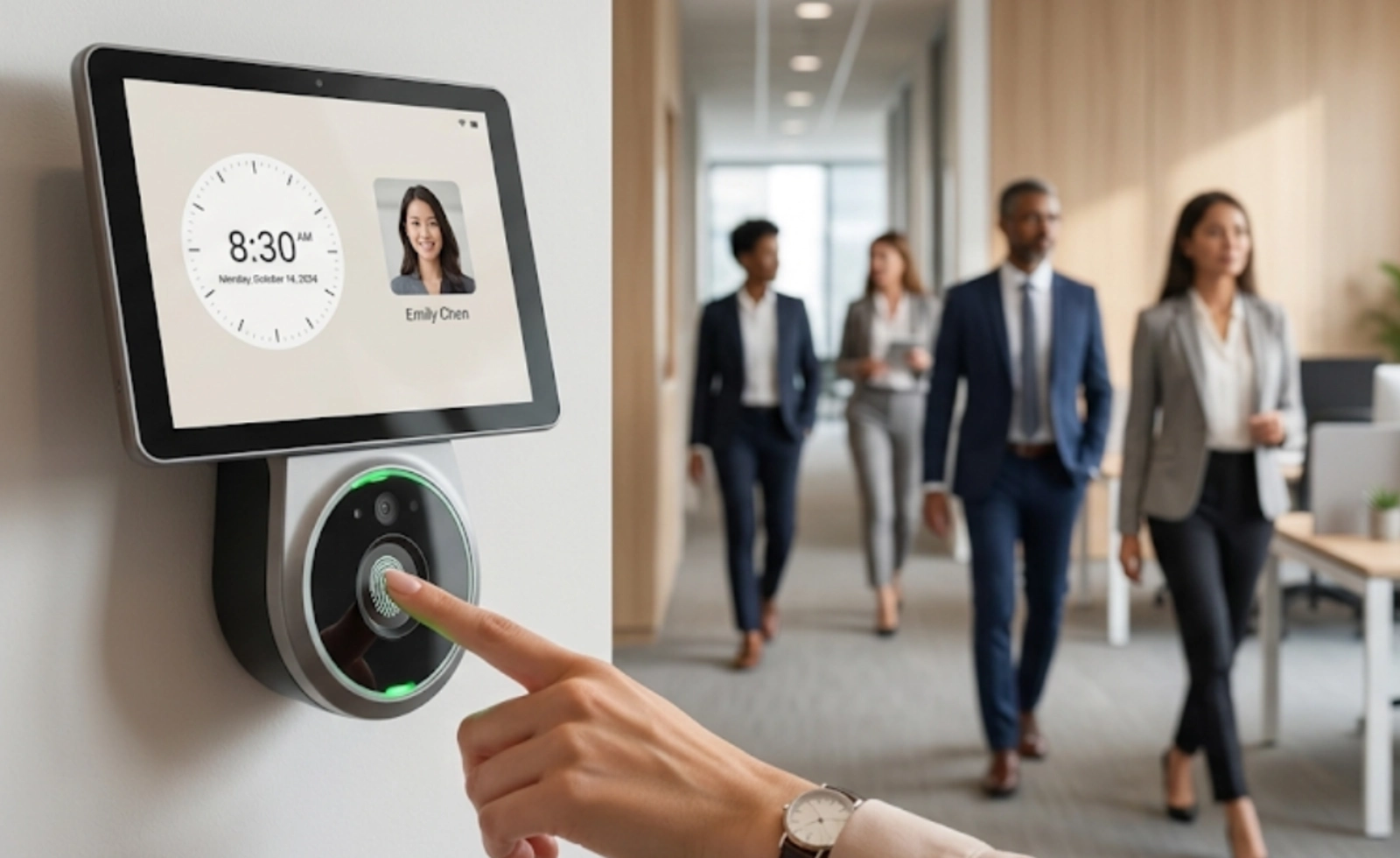
A time and attendance system is a digital tool that records when employees start work, when they finish, how long their breaks last, and how many hours they’ve worked over a day, week, or pay period. Instead of relying on manual sign-in sheets or memory, the system automatically captures this data the moment an employee clocks in or out.
But modern systems do far more than just record punches. They typically also:
- Track absences, leave, and time-off requests
- Calculate overtime automatically based on labor rules
- Flag late arrivals, early departures, or missed shifts
- Send that data straight into payroll software
- Give managers real-time visibility into who’s working and where
In short, a time and attendance system turns raw clock-in data into accurate, usable information for payroll, compliance, and workforce planning.
Why Time and Attendance Matters More Than Ever
A few years ago, tracking hours was mostly about payroll accuracy. That’s still important, but the reasons companies invest in these systems have expanded quite a bit.
Hybrid and remote work changed the game. When employees aren’t all sitting in one office, a simple punch clock at the door no longer works. Businesses need tools that can capture time from a laptop, a mobile phone, or a job site – wherever the work is actually happening.
Labor laws have gotten stricter. Regulators in many countries now expect employers to keep precise, defensible records of hours worked, breaks taken, and overtime paid. Manual records simply can’t keep up with that level of scrutiny.
Payroll errors are expensive. A few minutes of miscalculated overtime here and there might sound small, but multiplied across dozens or hundreds of employees over a year, it adds up to real money – and real frustration for staff who feel underpaid.
Employees expect transparency. People want to see their own hours, request leave easily, and trust that what they’re paid matches what they worked. A good system builds that trust automatically.
How Does a Time and Attendance System Work?
At its core, the process is simple, even if the technology behind it isn’t:
- Capture – An employee clocks in using a method the company has set up, such as a mobile app, a biometric scanner, a card reader, or a web portal.
- Record – The system logs the exact time, and often the location, of that clock-in.
- Calculate – Throughout the pay period, the software totals hours worked, applies overtime and break rules, and flags anything unusual, like a missed clock-out.
- Approve – Managers review and approve timesheets, often with just a click, instead of manually checking each entry.
- Sync – The finalized data flows into payroll, so wages are calculated based on actual time worked, not estimates.
This entire cycle, which could once take hours of manual admin work, now often happens in the background with almost no extra effort from HR.
Common Types of Time and Attendance Systems
Not every business tracks time the same way. Here are the most common methods in use today.
Biometric systems use fingerprints, facial recognition, or iris scans to confirm identity before logging a clock-in. Because a fingerprint or face can’t be shared, this method virtually eliminates “buddy punching,” where one employee clocks in for another.
Card or badge-based systems rely on RFID or magnetic swipe cards. They’re fast and familiar, though cards can be lost, shared, or forgotten.
Mobile app-based systems let employees clock in from their smartphones, often with GPS location tagging. This is especially useful for field teams, delivery staff, or hybrid employees who aren’t tied to one physical location.
Web-based or cloud systems allow employees to log time through a browser, which works well for remote or office-based knowledge workers.
Access control-integrated systems combine time tracking with building or door access, so the same credential that lets someone into the office also records their attendance. This is increasingly common in regions with strict facility security needs – for example, businesses looking into time and attendance access control solutions in Oman often choose this combined approach so security and payroll data live in one connected system.
Many companies today don’t pick just one method. A warehouse might use biometric scanners at the entrance, while its office staff clock in through a mobile app – all feeding into the same central system.
Key Features to Look For
When evaluating a time and attendance system, a few features consistently separate the useful tools from the basic ones:
- Real-time reporting, so managers can see attendance data as it happens, not days later
- Automated overtime and break calculations that follow local labor rules without manual input
- Payroll integration, so hours worked flow directly into wage calculations without double entry
- Self-service access, letting employees check their own hours, request leave, and fix errors
- Mobile accessibility, for teams that aren’t sitting at a desk all day
- Scalability, so the system still works whether you have 20 employees or 2,000
- Compliance support, with audit-ready records that hold up if labor authorities ever ask questions
Benefits of Using a Time and Attendance System
Fewer payroll mistakes. Automated calculations remove the guesswork and human error that come with manual timesheets.
Better compliance. Accurate digital records make it far easier to demonstrate compliance with wage and hour laws if you’re ever audited.
Time saved for HR and managers. Approving a digital timesheet takes seconds; chasing down paper forms does not.
Improved accountability. When employees know their time is tracked accurately and fairly, punctuality and attendance tend to improve naturally.
Smarter workforce planning. Attendance trends and patterns give managers the data they need to plan schedules, spot burnout risks, and control labor costs.
Stronger security. Especially when paired with access control, these systems help ensure only authorized people are entering specific areas at specific times.
Choosing the Right System for Your Business
There’s no single “best” system – the right choice depends on your industry, team size, and how your employees actually work. A retail business with hourly shift workers has very different needs from a consulting firm with remote employees.
A few practical questions can help narrow things down:
- Do employees work on-site, remotely, or both?
- Does the business need biometric or access-controlled entry, or is a simple app enough?
- How complex are the local labor laws around overtime and breaks?
- Does the system need to integrate with existing payroll or HR software?
- Is the business planning to grow, and will the system scale with it?
For organizations in the Gulf region, local compliance and facility security often matter just as much as software features. That’s why many companies specifically look for a reliable time and attendance system service in Oman, one that understands local labor regulations while still offering the automation and reporting that modern workforce management demands.
Common Attendance Terms Explained
Understanding a few key terms makes it much easier to evaluate and use a time and attendance system confidently.
Buddy Punching – When one employee clocks in or out on behalf of another, creating inaccurate attendance records. Biometric systems largely prevent this.
Clock Drift – A situation where an employee’s device time doesn’t match the actual system time, which can cause small but repeated errors in logged hours.
Grace Period – A short window (often 5–15 minutes) after a shift’s start time during which a late clock-in isn’t marked as tardy.
Overtime Threshold – The number of hours after which additional pay rates apply, as defined by local labor law or company policy.
Timesheet Approval Workflow – The process, usually digital, through which a manager reviews and signs off on an employee’s recorded hours before payroll processing.
Geofencing – A feature that restricts clock-ins to a specific physical location, commonly used for field or site-based teams.
Absence Management – The tracking and approval of planned or unplanned employee absences, including sick leave, vacation, and personal time off.
Audit Trail – A time-stamped record of every entry, edit, and approval in the system, used to prove compliance if records are ever questioned.
Frequently Asked Questions
What is the main purpose of a time and attendance system?
Its main purpose is to accurately record employee working hours and turn that data into reliable information for payroll, compliance, and workforce management.
Is a time and attendance system only for large companies?
No. Small businesses benefit just as much, since even a handful of manual timesheet errors can create real payroll and compliance issues.
How is a time and attendance system different from payroll software?
A time and attendance system tracks hours worked, while payroll software calculates and processes wages. The two usually work together, with attendance data feeding directly into payroll.
Can employees clock in from their phones?
Yes, most modern systems offer mobile apps that let employees clock in and out from anywhere, often with GPS verification for field or remote staff.
Are biometric time and attendance systems safe and private?
Reputable systems encrypt biometric data and use it only for identity verification, not for storing images or personal details beyond what’s needed for attendance tracking.
Do time and attendance systems help with labor law compliance?
Yes. They create accurate, time-stamped records of hours, breaks, and overtime, which makes it much easier to demonstrate compliance if regulators ever request documentation.
What industries benefit most from time and attendance systems?
Retail, healthcare, manufacturing, construction, hospitality, and any business with shift workers or field teams see the biggest gains, though virtually every industry benefits.
How long does it take to implement a time and attendance system?
Cloud-based systems can often be set up within days to a few weeks, depending on the size of the organization and whether hardware like biometric scanners is involved.
Can a time and attendance system integrate with access control?
Yes. Many businesses combine attendance tracking with door or building access control, so one credential manages both security entry and time logging.
How do I choose the right time and attendance system for my business?
Start by identifying how your team works (on-site, remote, or hybrid), what local labor laws require, and which existing HR or payroll tools it needs to connect with, then compare vendors based on those specific needs.
Final Thoughts
A time and attendance system isn’t just about clocking in and out anymore. It’s the foundation for accurate payroll, fair treatment of employees, legal compliance, and smarter workforce decisions. Whether you’re a small business owner tired of chasing paper timesheets or an HR leader managing hundreds of employees across multiple locations, the right system can save time, reduce errors, and give you a clearer picture of how your business actually runs – one clocked hour at a time.